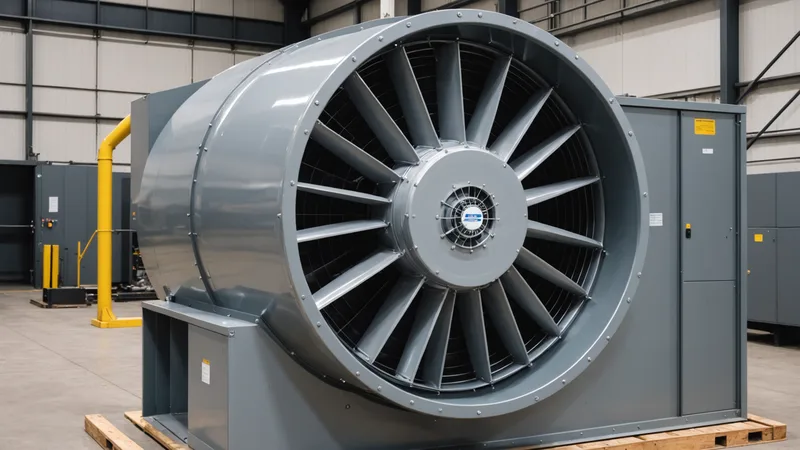
Overcycling isn't a failure mode — it's a normal state for most commercial HVAC systems running on fixed BMS schedules. The air handler is running at full capacity in a zone that reached setpoint 45 minutes ago and has no occupants. The BMS schedule says it should be running, so it runs. Nothing is broken. Everything is wasteful.
The problem with overcycling is that it's almost entirely invisible unless you're looking at the right data. Energy bills show total consumption, not wasted cycles. Comfort complaints come in when the HVAC is underperforming, not when it's running unnecessarily. Overcycling hides in plain sight — a building spending $8,000/month on energy, $2,000 of which is conditioning empty rooms at full load.
Defining Overcycling Precisely
Overcycling occurs when HVAC equipment operates at or near full capacity when the thermal demand in a zone doesn't require it. This manifests in three ways:
Temporal overcycling: The BMS schedule runs HVAC outside the hours when it's needed. The classic example: a 6 AM start time for a building where 80% of tenants arrive between 8 and 9 AM. Two hours of full conditioning for a building that is essentially unoccupied. Or the Friday evening where the office clears at 3 PM but the HVAC runs until 9 PM because that's what the weekday schedule says.
Spatial overcycling: HVAC runs in zones that are unoccupied while occupied zones get the same conditioning treatment as empty ones. In a multi-tenant office building with variable occupancy by floor or wing, a zone that's at 15% occupancy may still receive 100% of its scheduled conditioning because the BMS has no occupancy input at the zone level. The VAV system will modulate airflow to some degree, but the air handler is still pulling full load, and the chiller is still running.
Overshoot overcycling: The HVAC reaches setpoint and continues running because the control logic has a wide deadband, or because the setpoint is set lower than actually needed for comfort. A zone cooled to 68°F when occupants are comfortable at 72°F is running 4 degrees beyond what the space requires — and the system is working harder than necessary to maintain that excess.
All three forms have real dollar costs, and all three are measurable from BMS data you already have.
What Overcycling Costs: The Equipment Side
There are two cost categories for overcycling: energy costs (straightforward) and equipment wear costs (often overlooked).
The equipment wear argument is real but frequently overstated. HVAC compressors and chillers have a rated cycle life — the number of start/stop cycles before wear becomes a significant maintenance factor. A chiller that cycles on and off 8 times per day in response to imprecise temperature control wears differently than one that runs two longer, more deliberate cooling cycles with longer off periods. Short-cycling (very frequent starts over short intervals) is particularly hard on compressor components and refrigerant circuits.
We're not saying overcycling is the primary driver of premature equipment failure in most buildings — deferred maintenance and operating outside design conditions are usually bigger factors. But a building where the BMS schedule causes short-cycling behavior (because the setpoint is achieved quickly and then drifts back up repeatedly throughout the day) is accumulating unnecessary wear. That wear shows up in maintenance and replacement costs, not in the energy bill.
Measuring Temporal Overcycling from BMS Data
Here is how to quantify temporal overcycling using data that your BMS already logs — no additional sensors required, assuming your BMS records zone temperature and HVAC operational state at 15-minute intervals (most Siemens Desigo, JCI Metasys, and Honeywell BMS installations do this by default).
Step 1: Export zone temperature and occupancy state logs for 30 days. If your BMS has occupancy sensor inputs (PIR, CO2), export the occupancy state alongside zone temperature. If it doesn't, use access card entry data or a calendar-based occupancy proxy as a surrogate.
Step 2: Identify "conditioning during unoccupied" intervals. For each zone, find intervals where the HVAC operational state is "active" (or where zone temperature is at or below cooling setpoint, indicating active cooling) and the occupancy state is "unoccupied" (or card access shows no entries for the preceding 60 minutes). These are your overcycled intervals.
Step 3: Quantify energy cost. Estimate the energy cost of those overcycled intervals. If you know the zone's AHU size (kW), multiply hours-of-overcycling by rated kW and by your blended energy rate. For a rough estimate: a single AHU serving a 10,000 sq ft zone at 15–25 kW of electrical consumption, overcycling for 2 hours per weekday, is 30–50 kWh per day, or 600–1,000 kWh per month. At $0.09–$0.13/kWh, that's $54–$130 per zone per month — across a building with 20 zones, $1,000–$2,600 per month in energy from temporal overcycling alone.
Step 4: Identify the demand charge contribution. Look at whether any of your overcycled intervals coincide with your peak demand intervals. If the BMS ramps up all zones at 6 AM regardless of occupancy, and your peak demand measurement is taken at 6:30 AM on a Monday morning, the overcycled zones are contributing to your demand charge. Reducing the number of zones actively conditioning during peak intervals directly reduces peak demand kW.
Measuring Spatial Overcycling
Spatial overcycling is harder to measure because it requires per-zone occupancy data, which not all buildings have at granular resolution. A practical proxy:
Take a 4-week window and compare BMS zone temperature logs against building access records by floor or wing. Most corporate tenants have access control systems that log entries by door and timestamp. If Floor 4 South had zero badge entries from 8 AM to 5 PM on three Tuesdays in four weeks, and the BMS shows Zone 4S conditioning actively during those same periods, that's a measurable spatial overcycling event.
In the buildings we work with, spatial overcycling is particularly pronounced around: the Friday afternoon early-departure effect (most tenants out by 3 PM, BMS runs until 9 PM), building holidays that facilities managers didn't update in the BMS calendar, and low-occupancy sections of partially-leased buildings where a wing has 20% tenancy but receives the same conditioning as the full building.
The Overcycling Audit: A Structured Approach
A 30-day overcycling audit using BMS data takes a few hours of analysis work and typically reveals $500–$2,500 per month in clearly quantifiable waste for a mid-size commercial office building. Here is a structured approach:
Week 1: Export 30 days of zone temperature logs (15-minute intervals), HVAC operational state per AHU, and any available occupancy signal (PIR state, CO2 level, or access control count). Request these from your controls contractor if you don't have direct BMS access — they're standard log exports from any major BMS platform.
Week 2: Map the data into a simple spreadsheet: columns for datetime, zone ID, zone temperature, occupancy signal, HVAC state (active/inactive), outdoor temperature. Identify intervals where HVAC is active and occupancy signal is zero or near-zero. Flag those intervals.
Week 3: Calculate the overcycled kWh (using AHU nameplate kW × overcycled hours), categorize by type (temporal/spatial/overshoot), and identify the top 5 zones by overcycling volume. For most buildings, 20% of zones account for 60–70% of overcycling waste.
Week 4: Map overcycled intervals to your utility bill's demand charge periods. Determine what fraction of your demand charge is contributed by intervals where overcycling is occurring. This is the number that motivates the CFO — not "we're wasting energy" but "we're paying $X/month in peak demand charges that are partially driven by conditioning unoccupied zones during peak billing windows."
What Fixing Overcycling Requires
Temporal overcycling is fixable with schedule adjustments — but as discussed in our earlier post on why BMS schedules don't get updated, this is harder in practice than it sounds. The schedule needs to be accurate, up to date with building calendar events, and responsive to actual occupancy patterns that vary week to week. A manually-updated schedule that's correct today will drift back into overcycling within a few months as occupancy patterns shift.
Spatial overcycling requires per-zone control based on occupancy inputs — either actual occupancy sensors (PIR or CO2 at the zone level, wired to BMS inputs) or occupancy inference from other signals (calendar bookings, access control, Wi-Fi connected device count). Most commercial office buildings have some occupancy sensing infrastructure already; the question is whether the BMS is reading it and acting on it at the zone level or ignoring it in favor of the fixed schedule.
The measurement work described here gives you the baseline to evaluate any intervention — whether it's a manual schedule update, an occupancy sensor expansion, or a predictive control layer. If you don't know your current overcycling profile, you can't know whether any intervention is actually working. Establish the baseline first. The data is already in your BMS; you just need to export it and look at it.